From one app profile to a store-ready listing
How AppListingLab connects real app screens, product context and localized copy to prepare consistent listings for the App Store and Google Play.
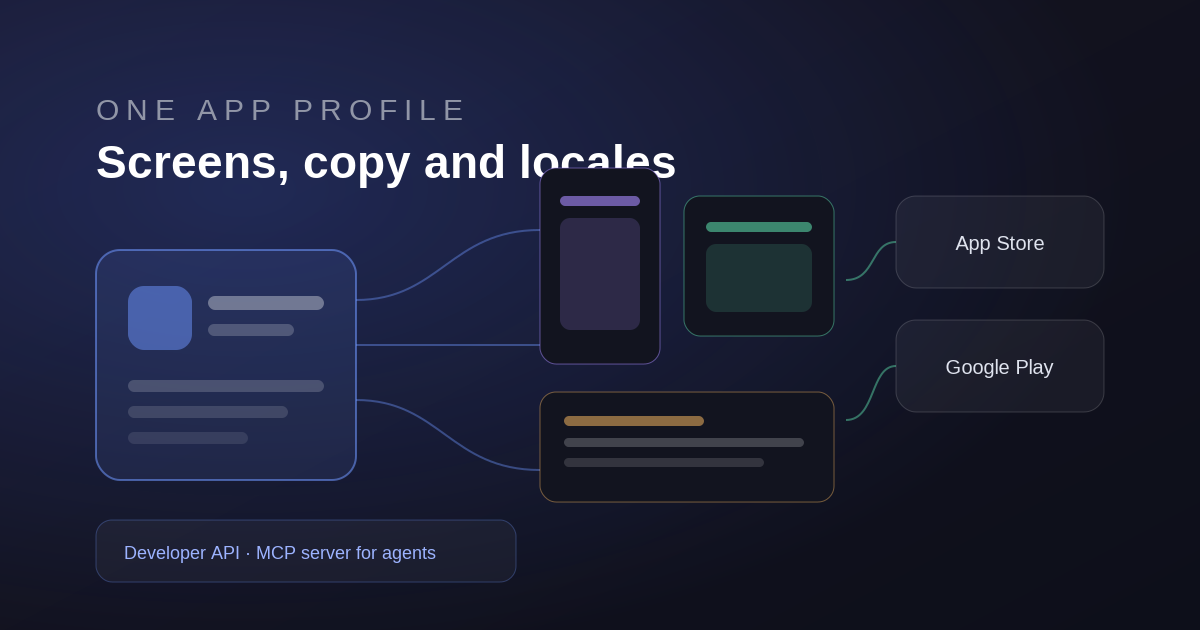
A store listing has to explain an app through its screenshots, short text and description. Those pieces need to tell the same story across screen sizes and languages. A change to one feature can leave several versions of that story out of date.
AppListingLab brings this work into one project. The app profile holds the product context, and the screens, copy and generated assets draw on that shared foundation.
Give the assets a shared product context
The profile describes who the app is for, the problems it solves, its important features and the tone of its communication. Real app screens provide the visual evidence behind those descriptions.
When the positioning changes, the team can update that context and use it for the next round of screenshots and copy. This reduces the need to repeat the same brief for each asset and makes inconsistencies easier to spot.
Build screenshots around the actual app
Screenshots connect a benefit to something a person can see in the interface. AppListingLab combines uploaded app screens with layouts, captions and device presentations, then renders the selected output sizes.
Rendering on the backend gives the workflow a common set of fonts, layouts and dimensions. The team can review the resulting assets together and see how the same message reads on different device formats.
Keep localization connected to the layout
A translated caption may need more space than the original. A short description has its own character limit, and a phrase that works in a long description may be too dense for a screenshot.
Keeping localized copy alongside the app profile and visual assets makes those decisions easier to coordinate. The wording can be reviewed in the form in which it will appear, with the product’s terminology and key benefits carried across languages.
Prepare assets for a specific store destination
A release needs a clear destination: the app, store, language and asset type. The App Store and Google Play organise listings differently, so these choices remain explicit throughout preparation and publishing.
Store integrations use the official APIs to connect reviewed assets to those destinations. The practical value is in carrying the prepared work forward with its context, instead of rebuilding that context during a series of manual uploads.
Let agents work with the same project
The Developer API and MCP connection make the workflow available to AI agents. An agent can work from the app profile, upload real screens, generate screenshot assets and store copy, and prepare the materials for a release.
The person reviewing the result sees the same project and assets. This keeps an agent-assisted workflow connected to the product decisions behind the listing, including which benefits to highlight and which screens support them.
A shorter path from a product change to a listing update
When a new feature changes the app’s story, the team can update the profile, choose the relevant screens and prepare the affected materials together. Shared context helps keep the screenshots, descriptions and localizations aligned as the product evolves.